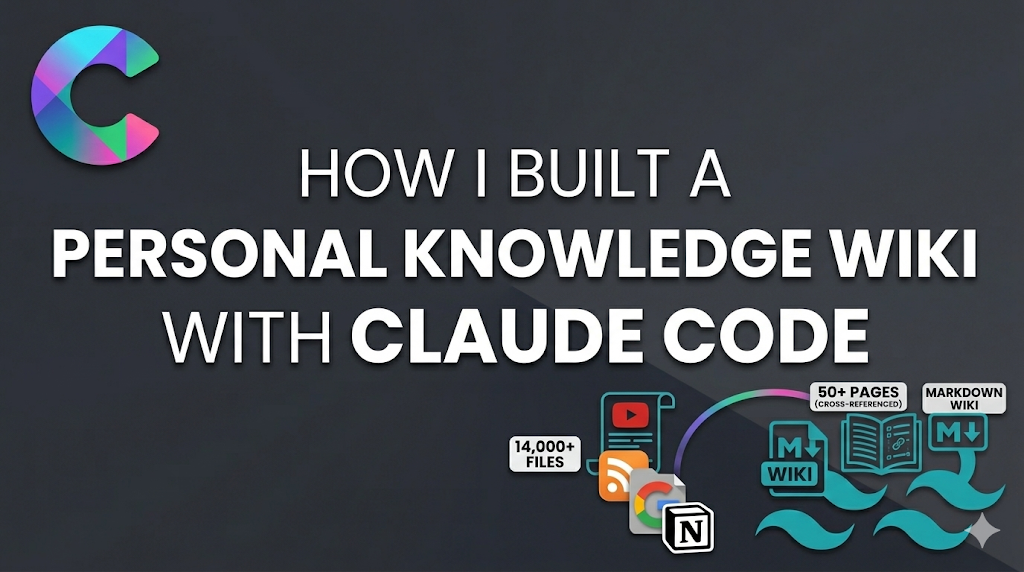
How I Built a Personal Knowledge Wiki with Claude Code
How I turned 14,000+ scattered files — YouTube transcripts, 13 years of RSS feeds, Google Takeout data, Notion exports — into a 50-page cross-referenced knowledge wiki using Claude Code and flat markdown files.
I had thousands of notes in Google Keep. Years of saved articles in Feedly. Dozens of ebooks. Hundreds of app ideas in Notion. Bookmarks, watch history, blog posts, and course material scattered across a dozen apps.
I never looked at any of it.
Then Andrej Karpathy posted about using AI to maintain a personal knowledge base — just flat markdown files and a schema. That weekend, I built one with Claude Code. Two days later, I had a 50-page cross-referenced wiki generated from thousands of source files, and for the first time I could actually ask questions against everything I've ever saved.
Here's exactly how I did it.
The Architecture: Three Layers
The whole system is three things:
raw/                  # Your source material. Never modified by AI.
wiki/                 # Structured pages. AI owns this entirely.
CLAUDE.md             # The schema — rules for how the AI maintains everything.
Raw is your junk drawer. You dump files in however you want — don't organize them, don't rename them, don't clean them up. That's the AI's job.
Wiki is the organized output. Structured markdown pages with YAML frontmatter, [[wiki links]], and a maintained index. You never edit these by hand.
CLAUDE.md is the instruction manual. It tells the AI what the wiki is about, how pages should be structured, and what operations are available. This single file is what makes the whole system work.
Step 1: Scaffold the Directory Structure
I organized the wiki by domain because I wanted personal knowledge, research, and project knowledge to stay separate:
personal/             # Journal, goals, health, self-improvement
  entities/           # People, orgs, tools
  concepts/           # Ideas, frameworks, mental models
  sources/            # One summary page per ingested source
research/             # Deep dives on topics
  entities/
  concepts/
  sources/
projects/             # Project-specific knowledge
  entities/
  concepts/
  sources/
outputs/              # Generated reports, analyses, Q&A
index.md              # Auto-maintained catalog of all pages
log.md                # Chronological activity log
Each domain has three subdirectories: entities (people, tools, frameworks), concepts (ideas, patterns, methodologies), and sources (one summary per ingested source).
You could keep it flatter — Karpathy's approach is just a single wiki/ directory. But I found the domain split helps when you're querying across different areas of your life.
Step 2: Write the Schema (CLAUDE.md)
This is the most important file. Here's the core of mine:
# Wiki Schema

This is an LLM-maintained personal knowledge wiki.
The LLM writes and maintains all wiki pages.
The human curates sources, asks questions, and directs exploration.

## Page Format

Every wiki page uses this structure:

---
title: Page Title
type: entity | concept | source | analysis
domain: personal | research | projects
created: YYYY-MM-DD
updated: YYYY-MM-DD
sources: [list of source files that informed this page]
tags: [relevant tags]
---

Content here. Use [[wiki links]] to connect to other pages.

## Operations

### Ingest
When the human adds a new source to raw/:
1. Read the source document thoroughly
2. Create a summary page in the appropriate sources/ directory
3. Update or create relevant entity and concept pages
4. Add [[wiki links]] between new and existing pages
5. Update index.md with new pages
6. Append an entry to log.md

### Query
When the human asks a question:
1. Read index.md to find relevant pages
2. Read those pages for context
3. Synthesize an answer with citations
4. File the answer back into outputs/ and update wiki pages

### Lint
Periodically health-check the wiki for contradictions,
orphan pages, missing cross-references, and knowledge gaps.
The key insight: a single source may touch 10-15 wiki pages. When I ingested a YouTube interview about tech leadership, it created an entity page for the guest, a concept page for career path models, a source summary, and updated my personal profile page — all automatically. The schema tells the AI to think in terms of connections, not just summaries.
Step 3: Dump Everything Into Raw
This is where most people overthink it. Don't. Just dump:
raw/
  blog-site/          # My blog content export
  Notion/             # Full Notion workspace export
  youtube/            # 61 auto-generated transcripts (yt-dlp)
  feedly/             # 13 years of Feedly reading history
  google-takeout/     # Chrome bookmarks, Keep notes, Maps, Play Books
  Clippings/          # Obsidian Web Clipper articles
Getting YouTube Transcripts
brew install yt-dlp
yt-dlp --write-auto-sub --sub-lang en --skip-download \
  -o "raw/youtube/%(title)s.%(ext)s" \
  "https://www.youtube.com/@yourchannel"
This grabs all auto-generated transcripts from your channel in a few minutes. Some videos may not have subtitles available — short clips or non-English content.
Getting Google Takeout Data
Go to takeout.google.com and select only:
- Chrome — bookmarks and browsing history
- Keep — all your notes
- Maps (your places) — saved places and reviews
- YouTube — watch history, playlists, subscriptions
- Google Play Books — your ebook library
- Saved — links saved from Google Search
Skip everything else. Gmail, Drive, and Photos are too massive and noisy. Pro tip: delete the Maps photos/videos folder from your Takeout — it's often several GBs of noise. The saved places and reviews JSON files are tiny and much more useful.
Feedly Export
If you use Feedly: Settings → OPML export for your feed list, plus the archive export for all your read/saved articles.
Notion Export
Settings → Export all workspace content as Markdown.
Step 4: Tell Claude Code to Ingest
Open Claude Code in the wiki directory and say:
"Read everything in raw/. Ingest it all following the rules in CLAUDE.md."
Then let it work. For large collections, run ingestion in batches — Notion first, then YouTube, then Feedly, then Google Takeout. Each batch takes a few minutes.
What Claude Code actually does during ingestion:
- Reads the raw source — parses HTML, JSON, VTT subtitles, markdown, whatever
- Creates a source summary — one page in
sources/that captures the key information - Creates or updates entity pages — if the source mentions Angular, it updates the Angular page. If it mentions a person, it creates or updates their entity page.
- Creates or updates concept pages — patterns, methodologies, and ideas get their own pages
- Adds cross-references —
[[wiki links]]between all related pages - Updates the index —
index.mdstays current - Logs the activity —
log.mdtracks what was ingested and when
A single YouTube interview about tech leadership generated: 1 source summary, 1 entity page for the guest, 1 concept page for career path models, and updates to 3 existing pages. That's 6 page touches from one 45-minute video transcript.
Step 5: Ask Questions
Once the wiki has enough pages (mine hit 40+ after the first round), start querying:
"What patterns do I see across my failed projects?"
"Based on my reading history and bookmarks, what topics have I been circling around but never committed to?"
"What are my biggest skill gaps based on everything in the wiki?"
The AI reads across your entire wiki and synthesizes answers grounded in your own data. I asked "What are my weak points?" and it surfaced patterns I already knew but had never seen in one place — projects started but never finished, books saved but never read, outlines created but left empty. When the data is connected, you can't hide from it.
The critical part: answers get filed back. Valuable outputs go into outputs/ and enrich existing wiki pages. Every question makes the next answer better. This is the compounding loop.
Step 6: Keep It Growing
The wiki isn't a one-time project. It's a living system:
- Clip articles with Obsidian Web Clipper → they land in
raw/Clippings/→ tell Claude Code to ingest - Give it a URL → "scrape this" → it fetches, saves to raw, and ingests
- Run lint monthly → "lint the wiki" → it flags contradictions, orphan pages, missing concepts, and suggests new pages to fill gaps
I also set up Obsidian to point at the wiki directory, so I can browse the [[wiki links]] as a graph. But you don't need Obsidian — any text editor works. The files are just markdown.
What I Learned
Don't organize raw/. I wasted time initially trying to sort files into subfolders. Stop. The AI handles all organization in the wiki layer. Raw is meant to be messy.
Don't edit wiki pages by hand. Let the AI own the wiki layer entirely — tell it what to change and it'll keep links and metadata consistent.
The schema is everything. Without CLAUDE.md, you're just asking an AI to summarize files. With it, you're giving it a consistent framework for building knowledge. The difference is enormous.
Ingestion is not summarization. A good ingest operation doesn't just summarize a source — it connects it to everything else in the wiki. A single video transcript can touch your profile page, your career goals, your project ideas, and your skills page. Those connections are the value.
Questions are more valuable than sources. The wiki got 10x more useful once I started querying it instead of just ingesting. The compounding loop — question → answer → filed back → better future answers — is what makes this a second brain instead of a fancy bookmark folder.
The Result
After a weekend of setup, I had:
- 50+ wiki pages auto-generated and cross-referenced
- Thousands of raw source files ingested from 7 different sources
- A compounding knowledge system that gets smarter with every question
- 0 apps installed — just folders, markdown, and Claude Code
The whole thing is version-controlled with git. No database, no plugins, no subscriptions. Just text files that an AI knows how to maintain.
If you've been hoarding bookmarks, notes, and articles for years, this is how you finally make them useful. Pick a weekend, dump everything in, and let the AI connect the dots.
Let me know if you run into any issues or have questions about the setup ✌️
Getting Started With Angular 10 and TailwindCSS using CDN (Part 1)
In this article, we will take a look at how we can use TailwindCSS with Angular 10 using the TailwindCSS CDN
Identifying the Raga from the Notes
A weighted heuristic gets the raga right 67.3% of the time. Reranking against a corpus of published compositions takes it to 72.7%, which is the version I can actually ship — and on a 55-composition eval that number carries an interval wide enough to be worth writing down. Here is the method and the number, including the unflattering parts.