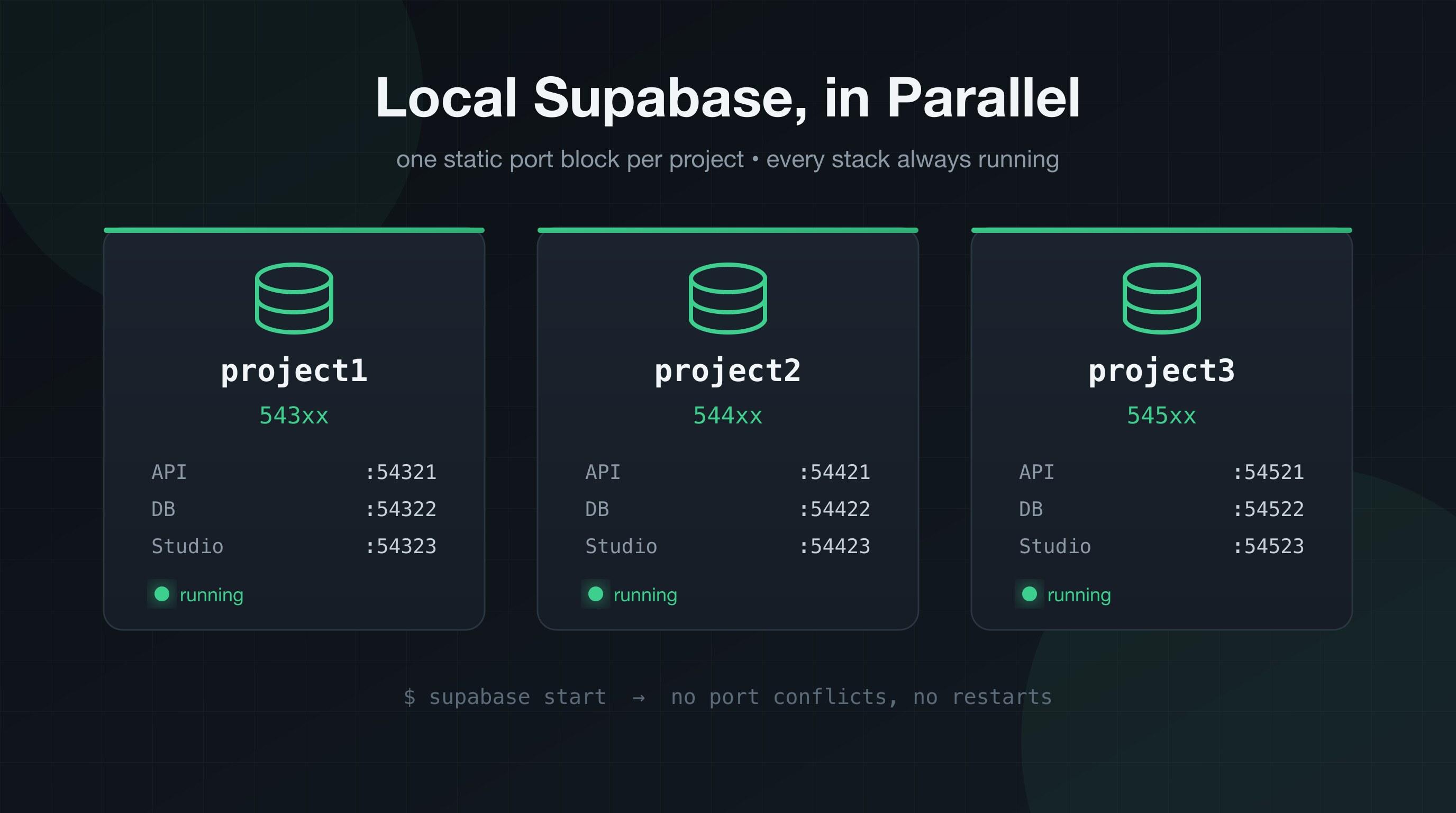
Running Multiple Local Supabase Projects in Parallel
How to run several local Supabase stacks side by side with the Supabase CLI — static port blocks per project, no port conflicts, no restarting stacks when you switch projects, and Claude Code always talking to the right database.
If you work on multiple projects that each use local Supabase, you've hit this wall: every project's supabase start wants the same ports. API on 54321, database on 54322, Studio on 54323 — the CLI defaults are identical everywhere. So you can only run one stack at a time, and switching projects means stopping one stack and starting another. Every single time.
It gets worse if you use AI coding tools. If your MCP config points at localhost:54321 in every repo, whichever stack happens to be running answers — so an agent working in project2 can silently run migrations against project1's database. That's not a port conflict, that's data corruption waiting to happen.
Here's the setup I landed on: static port blocks per project, all stacks running in parallel, permanently. You never think about ports again, and you never restart a stack just to switch projects.
Why Static Ports (and Not Auto-Allocation)
My first instinct was to build a small wrapper CLI that auto-allocates free ports — like Vite does for dev servers. Don't do this.
Supabase ports don't stay inside the CLI the way a Vite port does. They leak into .env files, hardcoded fallbacks in app configs, seed scripts, MCP configs, Studio bookmarks, and webhook tunnels. Dynamic allocation means all of those drift every time ports get reassigned. Static ports assigned once and committed to the repo means the number lives in git and nothing ever drifts.
The Port Scheme
Give each project a block of 10 ports, and keep the last digit meaning the same thing everywhere:
| Service | project1 (default) | project2 | project3 |
|---|---|---|---|
| shadow DB | 54320 | 54420 | 54520 |
| API | 54321 | 54421 | 54521 |
| DB | 54322 | 54422 | 54522 |
| Studio | 54323 | 54423 | 54523 |
| Mailpit | 54324 | 54424 | 54524 |
| Analytics | 54327 | 54427 | 54527 |
| Pooler | 54329 | 54429 | 54529 |
Your first project keeps the CLI defaults (smallest blast radius — it probably has the most references already). Every additional project gets the next +100 block. The last-digit convention means you always know that x2 is a database and x3 is a Studio, no matter which project you're in.
Step 1: Change the Ports in config.toml
In each project's supabase/config.toml, update every port. For project2:
[api]
port = 54421

[db]
port = 54422
shadow_port = 54420

[db.pooler]
port = 54429

[studio]
port = 54423

[inbucket]
port = 54424

[analytics]
port = 54427
One important thing: your data is safe. Docker containers and volumes are namespaced by the project_id at the top of config.toml, not by ports. As long as each project has a distinct project_id (it does by default — it's set when you run supabase init), you can change ports freely and your existing database comes back intact after a restart.
supabase stop && supabase start
Step 2: Update Anything That Hardcodes the Old Ports
Grep each repo for the old defaults and update them:
grep -rn "5432[0-9]" . --exclude-dir=node_modules --exclude-dir=.git
Typical suspects:
.envand.env.examplefiles (SUPABASE_URL=http://127.0.0.1:54421)- Hardcoded fallbacks in app configs (
process.env.SUPABASE_URL ?? 'http://127.0.0.1:54421') - Seed scripts with direct Postgres connection strings (
postgresql://postgres:postgres@127.0.0.1:54422/postgres)
Step 3: Point Your MCP Config at the Right Stack
This is the part that fixes the "agent talks to the wrong database" problem. The Supabase CLI serves an official MCP endpoint on the local API port — no extra MCP server needed. Commit a .mcp.json in each repo root pointing at that project's API port:
{
  "mcpServers": {
    "supabase": {
      "type": "http",
      "url": "http://127.0.0.1:54421/mcp"
    }
  }
}
Because the config is project-scoped (not global), Claude Code opened in project2 talks to project2's stack — always. Migrations, SQL, type generation, logs, all against the right database. If you had a global MCP config pointing at 54321, delete it; that's the footgun.
The RAM Catch
Here's the thing nobody warns you about: a full local Supabase stack is ~12 containers, and Docker Desktop's VM has a fixed memory budget (mine was set to just under 4 GB). When I started three stacks in parallel, the third one got OOM-killed during boot.
The culprit is analytics — the Logflare container plus its Vector log shipper eat roughly 600 MB per stack, more during boot. Everything else combined is only ~550 MB per stack.
Two ways out:
Option A — raise Docker's memory. Docker Desktop → Settings → Resources → Memory. Bump it to ~10 GB and keep everything enabled.
Option B — disable analytics in the projects where you don't need it:
[analytics]
enabled = false
The only thing you lose is the Logs UI inside local Studio. Database, auth, storage, realtime, edge functions, and Studio itself all keep working. I kept analytics on in my main project and turned it off in the others — three stacks now idle at ~2.4 GB total.
Leave Them Running
Once they're up, just leave them up. That's the whole point.
- Idle stacks cost almost nothing in CPU. They just sit there.
- Stopping them doesn't save disk space. Your data lives in Docker volumes and the images are on disk either way. Stopping only frees RAM inside Docker's VM — which is reserved from your OS regardless.
- They survive until Docker stops. After a reboot you'll need to start them again. A tiny loop handles it:
for d in project1 project2 project3; do (cd ~/Code/$d && supabase start); done
One tip if you start several cold at once: do it sequentially, not in parallel. Simultaneous cold boots spike memory and can trip the CLI's health-check timeouts.
Summary
- Each project gets a static, committed block of ports:
543xx,544xx,545xx, ... - Last digit = same service everywhere (
x1API,x2DB,x3Studio) - Data is keyed to
project_id, not ports — changing ports is safe - A per-repo
.mcp.jsonpointing at that project's API port keeps AI agents on the right database - Disable
[analytics](or raise Docker's memory) so multiple stacks fit in the VM - Leave everything running; switching projects becomes instant
No wrapper CLI, no port juggling, no restarts. Just numbers that never change, committed to git.
Let me know if you run into any issues ✌️
Running Coding Agents in Disposable Docker Containers
An agent that can edit files and run shell commands needs a blast radius. One container per task, a hard budget cap, and a control server inside each container so you can talk to a running agent — built on the Claude Agent SDK.
Up & Running with Vue.js 2.0 by creating a simple blog application
In this article we will be Up & Running with Vue.js 2.0 by creating a simple blog application