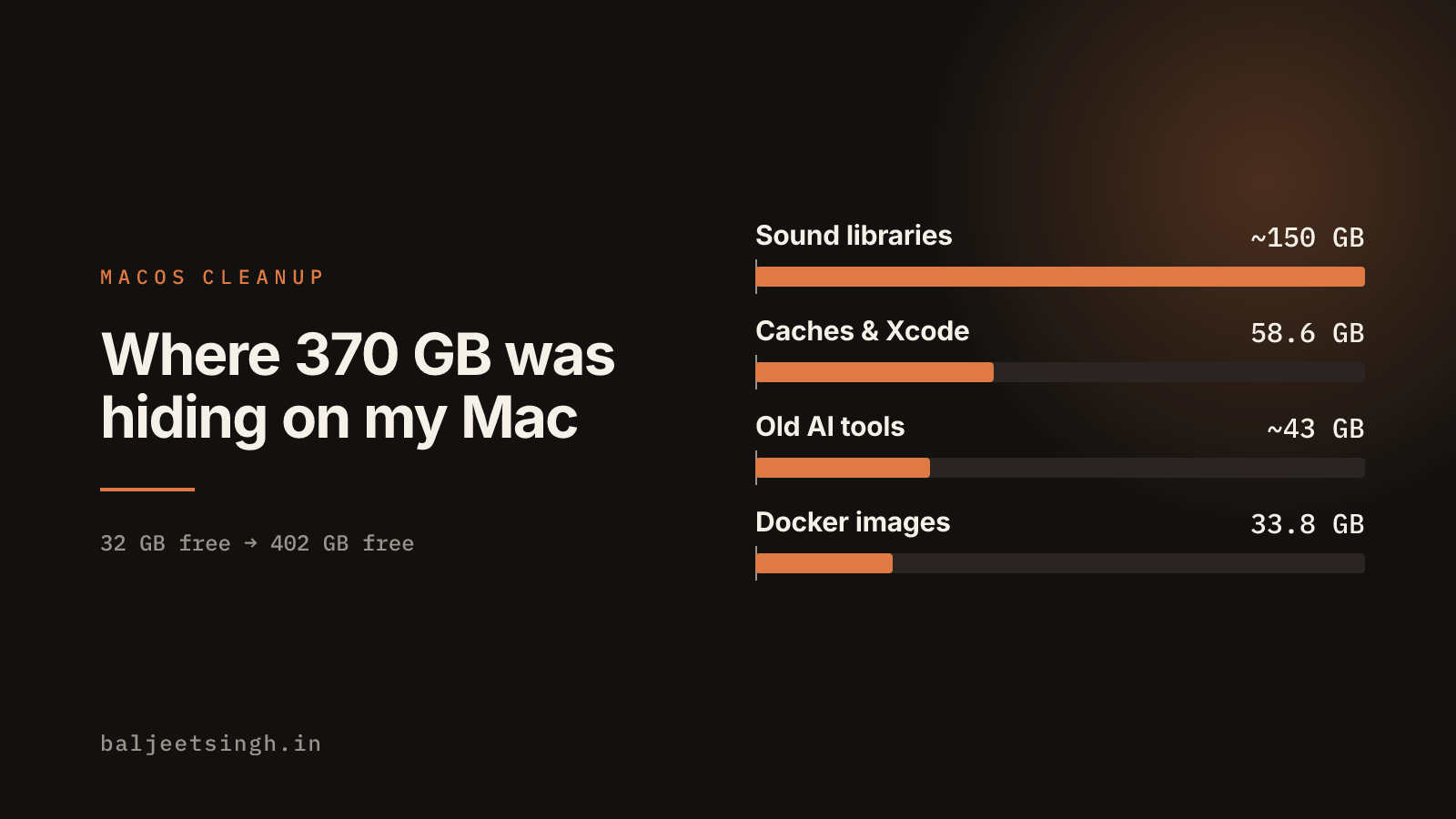
My Mac Was Down to 32 GB Free. Here's Where 370 GB Was Hiding.
A developer Mac fills up with caches, build output, old tools and sound libraries you never open. What took the space on mine, the command that cleared each one, what I kept, and how I let an AI agent help without losing anything.
My Mac had 32 GB free on a 1 TB disk. One day later it had 402 GB free. Nothing I use was deleted.
None of it was my own files. It was caches, build output, tools I'd stopped using, and sound libraries I'd never opened. This post lists each one, the command that cleared it, and what I left alone, so I can repeat it next time and you can try it on your own Mac.
I did the cleanup with Claude Code and Mole, a free command-line cleaner for macOS. How I kept the agent from deleting the wrong thing is at the end.
Where the space went
| what | freed | how |
|---|---|---|
| Logic Pro and GarageBand sound libraries | ~150 GB | Finder or sudo rm (below) |
| App caches, logs and Xcode build output | 58.6 GB | mo clean |
| AI coding tools I'd stopped using, and their data | ~43 GB | moved to the Trash |
| Unused Docker images | 33.8 GB | docker image prune -a |
| Python's uv package cache | 20.9 GiB | uv cache prune |
| Two old iOS simulator runtimes | 15.3 GB | xcrun simctl runtime delete |
| Old Logi Options+ update packages | 5.2 GB | sudo rm on the old folders |
| Hugging Face models, old Node versions, leftovers from deleted apps | ~12 GB | moved to the Trash |
The free-space number doesn't add up exactly: macOS frees some space later (the Trash, Docker's disk image, deleted simulators) and counts in its own way.
The developer leftovers
mo clean (58.6 GB). One run removed 4,837 items. The big ones:
- Xcode DerivedData: 22 GB across 20 projects. Xcode rebuilds it on the next build.
- App caches: 16.9 GB.
- npx cache: 4.8 GB, from every
npx some-toolI'd ever run. - Browser and editor caches: Chrome's service workers (2.6 GB), Puppeteer's browsers (2.1 GB), Notion (2.2 GB), VS Code's webview cache (2 GB).
- 70 simulators for iOS versions no longer installed: 1 GB.
Run mo clean --dry-run first. It lists everything it would remove without removing anything.
Docker (33.8 GB). docker system df showed 58 GB of images, more than half not used by any container. docker image prune -a removes images that no container uses, running or stopped. Docker's disk file doesn't shrink straight away; restarting Docker Desktop releases the space.
uv cache (20.9 GiB). uv keeps every Python package it has ever downloaded. uv cache prune removes the ones no environment uses; it went from 26 GB to 3.1 GB. Mole's preview said it would clean this, but the real run skipped it, so check afterwards.
iOS simulators (15.3 GB). I had four iOS runtimes and kept the newest two: xcrun simctl runtime list shows them, xcrun simctl runtime delete <id> removes one. Then xcrun simctl delete unavailable removes the simulator devices that used the deleted ones.
AI coding tools (~43 GB). I'd tried a lot of them. The apps were gone, but their data wasn't:
- LM Studio models: 13 GB
- Gemini CLI and Antigravity: 15 GB, including three near-identical copies of the same history
- Cursor, VS Code Insiders, Kiro, Windsurf, Hermes: 1–3 GB each
They live in hidden folders in your home folder (~/.cursor, ~/.kiro, ~/.lmstudio, …) and in ~/Library/Application Support. Uninstalling the app doesn't remove them. Check your shell config too: Kiro, LM Studio, Antigravity, Windsurf and Amazon Q had each added lines to ~/.zshrc, and Amazon Q's ran on every new terminal.
The one that surprised me: sound libraries
The biggest item wasn't developer tooling. Logic Pro and GarageBand had about 150 GB of sounds, in two places:
~/Music/Logic Pro Library.bundle: 69 GB/Library/Application Support/Logic: 61 GB of older sample folders, the location Logic used before/Library/Audio/Apple Loops: 7.7 GB/Library/Application Support/GarageBand: 6.7 GB
All of it is Apple's free content, and both apps download it again from Sound Library when you need it. macOS counts it as "System Data", which is why that number in System Settings looked so big.
If you remove the old Logic folder, keep Channel Strip Settings and Plug-In Settings: those can hold your own presets. Leave third-party instrument folders next to it alone.
What I kept
- Playwright browsers (10.6 GB) and the Android SDK and emulators (20.5 GB). I still use them; they'd only download again.
- Docker images that containers still use (24 GB).
node_modulesacross old projects (27.9 GB).mo purge --dry-runfound it; I haven't decided yet. It's the next easy win.- My own files: a Final Cut library, synced folders, and the Photos library. No cleaner should touch those.
Letting an agent do it without losing anything
An agent that can delete files can delete the wrong ones. These rules kept it safe:
- Preview first, every time.
mo clean --dry-run,mo purge --dry-run,docker system df,du -sh. Nothing was removed before I'd seen the list and said yes. - Trash, not delete, for anything that wasn't a cache. Old tools and app data went to the Trash, so I could check before emptying it.
- Password steps stay with me. The agent never ran
sudo. For/Libraryit gave me the exact command and I ran it in my own terminal. - When blocked, it stopped. One move was blocked by my permission settings; it told me how to do it in Finder instead of finding another way around.
- Backups of config edits. Before removing Amazon Q's lines from
.zshrc,.zprofileand.bashrc, it saved a copy of each. - Check before blaming the cleaner. VS Code stopped opening halfway through. It turned out VS Code had been running from
~/Downloads, and that folder had gone. Mole's log had no record of removing anything there.
Checklist for next time
mo clean --dry-run, read it, thenmo clean.docker system df, thendocker image prune -a, then restart Docker Desktop.uv cache prune.xcrun simctl runtime list, delete the old runtimes, thenxcrun simctl delete unavailable.mo purge --dry-runfornode_modulesand build folders in old projects.- Look in
~for hidden folders of tools you've uninstalled, and in~/.zshrcfor their lines. - If you make music: check Logic and GarageBand's sound libraries.
- Empty the Trash.
When to Build a Skill and When to Build an MCP Server
I shipped both for the same Vue design system, a month apart, and kept both. A skill carries judgement and goes stale; an MCP server carries facts and stays fresh. Here is how the choice actually breaks down.
What is the Array Reduce Method in JavaScript?
Learn how the Array reduce method works in JavaScript with practical examples for summing values, flattening arrays, and more.