AngularJS GET ajax request with PHP (Fetching data)
In this article we will see how can make GET request inside AngularJS using PHP
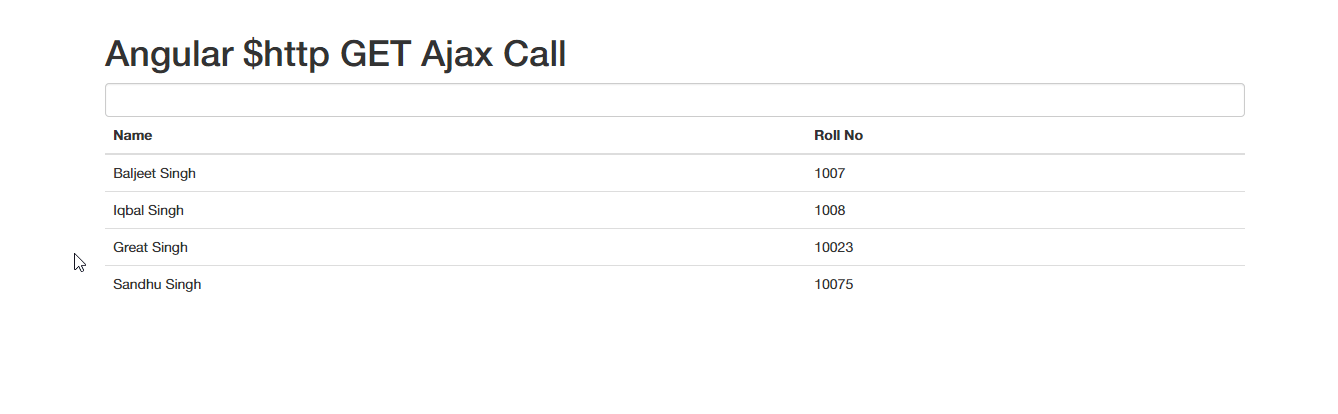
In this tutorial, i will be explaining how to fetch data from the mysql database via angularjs via GET ajax call. I will be using angularjs $http service to get data from the mysql database with php. Note: create a mysql database, with students table having two fields Name(varchar), Roll(int). Also insert some values. Copy the following contents to their respective file & you are done.
<!doctype html>
<html ng-app="fetch">
  <head>
    <title>AngularJS GET request with PHP</title>
    <link
      rel="stylesheet"
      href="//maxcdn.bootstrapcdn.com/bootstrap/3.2.0/css/bootstrap.min.css"
    />
    <script src="https://ajax.googleapis.com/ajax/libs/angularjs/1.2.24/angular.min.js"></script>
  </head>

  <body>
    <br />
    <div class="row">
      <div class="container">
        <h1>Angular $http GET Ajax Call</h1>
        <div ng-controller="dbCtrl">
          <input type="text" ng-model="searchFilter" class="form-control" />
          <table class="table table-hover">
            <thead>
              <tr>
                <th>Name</th>
                <th>Roll No</th>
              </tr>
            </thead>
            <tbody>
              <tr ng-repeat="students in data | filter:searchFilter">
                <td>{{students.Name}}</td>
                <td>{{students.Roll}}</td>
              </tr>
            </tbody>
          </table>
        </div>
      </div>
    </div>
  </body>

  <script>
    var fetch = angular.module('fetch', []);

    fetch.controller('dbCtrl', [
      '$scope',
      '$http',
      function ($scope, $http) {
        $http
          .get('fetch.php')
          .success(function (data) {
            $scope.data = data;
          })
          .error(function () {
            $scope.data = 'error in fetching data';
          });
      },
    ]);
  </script>
</html>
<?php
//database settings
$connect = mysqli_connect("hostname", "username", "password", "dbname");

$result = mysqli_query($connect, "select * from students");

$data = array();

while ($row = mysqli_fetch_array($result)) {
  $data[] = $row;
}
    print json_encode($data);
 ?>
Adding Server Side Rendering (SSR) to Angular App using NestJS
In this article we will see how we can add Server Side Rendering (SSR) to Angular App using NestJS
AngularJS POST request with PHP (Creating login form)
In this article we will see how we can make a POST request inside AngularJS using PHP while creating a Login Form