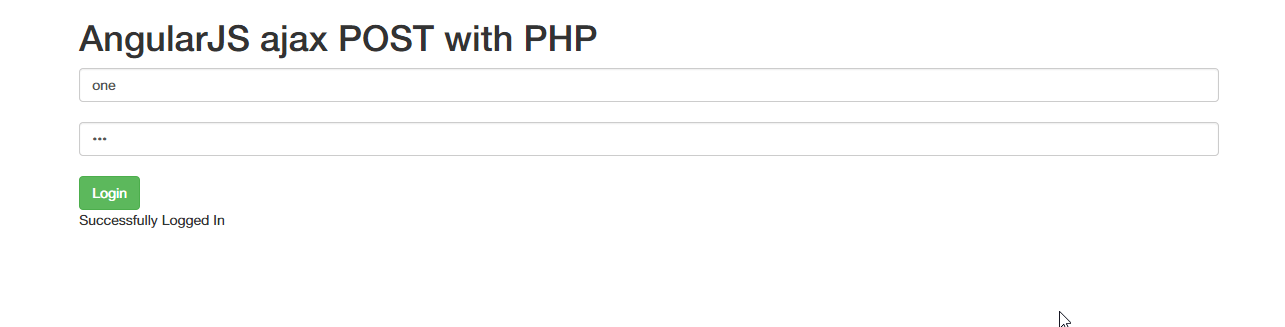
AngularJS POST request with PHP (Creating login form)
In this article we will see how we can make a POST request inside AngularJS using PHP while creating a Login Form
After searching through many articles for how to send AngularJS POST data to PHP, the solutions i found were not up to the point. So, i decided to create a simple login form that will POST data to PHP & in the PHP file we can check the posted data against the values in our mysql database or whatever database, but i am checking the requested data against the static values & then the PHP script return the response back to the client side. There are 3 files namely index.html, app.js, login.php
- In the index.html, there is login form
- In the app.js, Angular module & controller is defined
- In the login.php, the validation is done (currently againt static values)
<!doctype html>
<html>
  <head>
    <meta charset="utf-8" />
    <title>AngularJS Post data with PHP</title>
    <link
      rel="stylesheet"
      href="//maxcdn.bootstrapcdn.com/bootstrap/3.2.0/css/bootstrap.min.css"
    />
    <script src="https://ajax.googleapis.com/ajax/libs/angularjs/1.2.24/angular.min.js"></script>
    <script src="app.js" type="text/javascript"></script>
  </head>
  <body>
    <div class="container">
      <h1>AngularJS ajax POST with PHP</h1>
      <div ng-app="angularPostPHP" ng-controller="loginCtrl">
        <input
          class="form-control"
          type="text"
          ng-model="email"
          placeholder="Enter Your Email"
        /><br />
        <input
          class="form-control"
          type="password"
          ng-model="password"
          placeholder="Enter Your Password"
        /><br />
        <button class="btn btn-success" ng-click="login()">Login</button><br />
        <span>{{responseMessage}}</span>
      </div>
    </div>
  </body>
</html>
<!DOCTYPE html>
<html>
    <head>
        <meta charset="utf-8" />
        <title>AngularJS Post data with PHP</title>
        <link rel="stylesheet" href="//maxcdn.bootstrapcdn.com/bootstrap/3.2.0/css/bootstrap.min.css">
        <script src="https://ajax.googleapis.com/ajax/libs/angularjs/1.2.24/angular.min.js"></script>
        <script src="app.js" type="text/javascript"></script>
    </head>
    <body>
        <div class="container">
            <h1>AngularJS ajax POST with PHP</h1>
            <div ng-app='angularPostPHP' ng-controller='loginCtrl'>
               <input class="form-control" type="text" ng-model="email" placeholder="Enter Your Email"><br>
               <input class="form-control" type="password" ng-model="password" placeholder="Enter Your Password"><br>
                <button class="btn btn-success" ng-click="login()">Login</button><br>
                <span>{{responseMessage}}</span>
            </div>
            </div>
    </body>
</html>
<?php
    // check username or password from database
    $postdata = file_get_contents("php://input");
    $request = json_decode($postdata);
    $email = $request->email;
    $password = $request->password;
    if($email == "one" && $password== "one"){
        echo "1";
    }
    else {
        echo "0";
    }

?>
Copy the contents to their respective files & then run index.html. Right Username/Password Combination: one / one When you type this username/ password combination, you will get successfully logged in & when wrong combination, you will get Username or Password is incorrect as described in the app.js. Which is done with the response from the login.php. If login.php return 1 then we get "Successfully Logged in" else we get "Username or Password is incorrect".
AngularJS GET ajax request with PHP (Fetching data)
In this article we will see how can make GET request inside AngularJS using PHP
Automating Claude Code Worktree Setup — ENV Files, Node Modules, and Ports
How to automate your Claude Code worktree setup so that environment files are symlinked, node_modules are shared, and dev server ports don't collide — all without manual intervention.